SHADOW AI
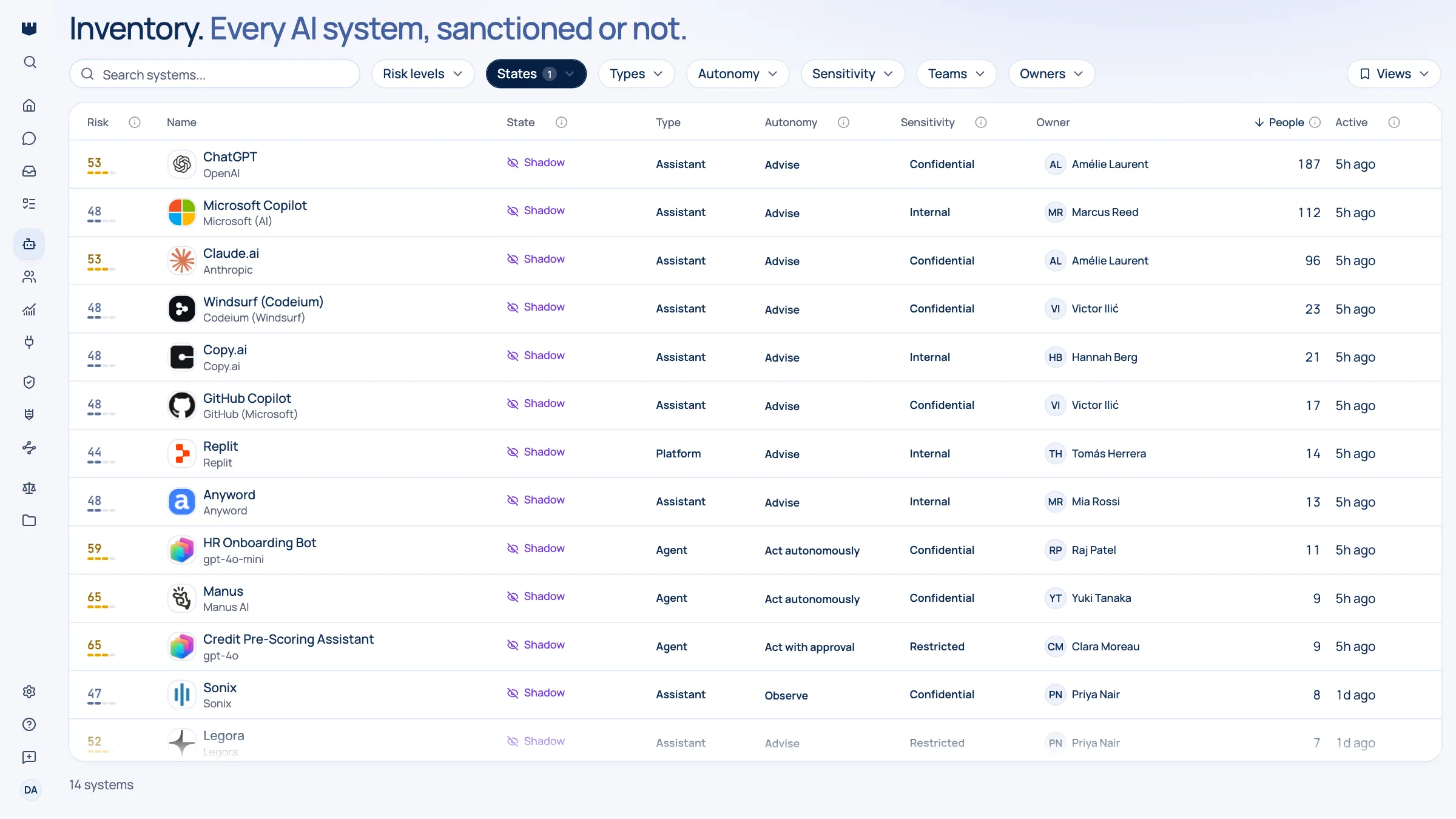
Find the AI tools your people actually use
Not the ones you bought: the ones that turned up. Qastel builds the list from evidence you already generate.
The problem
The AI your people use is wider than the AI you bought.
You can name the AI tools your organisation bought. You cannot name the ones it uses. Consumer AI does not wait for procurement: a free tier, a work email, and a browser tab is the entire onboarding process, and it happens in every department at once.
The usual answers do not hold up. A survey captures what people are willing to admit. A blocklist captures what you already thought of. An expense report captures only what somebody paid for, which excludes the free tiers, and that is where most of the exposure sits.
The evidence that does hold up is the evidence you already generate: where your network goes, which applications have been approved in your directory, and what runs in a managed browser. Collecting it was never the hard part. Recognising which of those thousands of signals are AI, and merging the same tool seen three different ways into one entry with one owner, is.
How Qastel does it
How it works, step by step.
Start with the sources you already run
Defender for Cloud Apps reads the picture your logs already build. Cloudflare reads the traffic already flowing through it. The browser extension covers managed devices whatever network they are on. Any one of them produces a real list; together they cover each other's blind spots.
Recognise the AI in the noise
Qastel checks every signal against a curated catalogue of AI vendors and products. What surfaces is a shortlist of AI tools with names, vendors, and ratings, not a network report to interpret.
Merge duplicates into one AI system
The same tool spotted on three surfaces becomes one entry with three independent confirmations. That raises your confidence in it rather than tripling the queue.
See who is behind it
Where the source can tell us, usage is attributed to real people, so you know whether a tool is one enthusiast or half a department, and who to talk to.
Decide, and keep the decision
Sanction it, restrict it, or replace it. The decision is recorded against the tool, so the next person who asks finds an answer instead of starting the investigation again.
Questions people ask.
How long until we see something real?
Day one. The first update reflects activity your systems have already recorded (typically the past month) rather than starting a collection period from scratch.
Do we need all of the sources?
No. Each works on its own. They cover different blind spots: network sources miss unmanaged networks, the browser extension misses unmanaged devices, and neither sees the AI your own engineers built.
Will this tell us who used a tool?
Often, yes. Sign-in activity in your directory and detections on managed devices both attribute usage to people. Where a signal genuinely cannot be attributed, Qastel says so instead of guessing.
Does Qastel block anything?
Not through its connectors: every one is read-only, and tells you what exists and how risky it is. Blocking happens only where you deploy it: the Qastel browser extension, desktop agent and MCP gateway apply your policies to AI requests on the machines they run on. Elsewhere, blocking stays in the tools that already enforce your policy.
What about AI features inside software we already own?
Those surface too, when the supplier's AI capability is a product in its own right. It is the strongest argument for continuous discovery: your estate changes when a supplier ships a feature, not when you sign a contract.
See it in action.
Get a 30-minute overview of how Qastel discovers, assesses and controls the AI used across a business.