ACCOUNT HYGIENE
Catch work going through personal AI accounts
Blocking a tool rarely removes it. It moves it to a personal login on the same laptop.
The problem
From the outside, a personal account looks exactly like a work one.
Block an AI tool and the work usually continues: same person, same device, same document, now signed in with a personal address. Nothing about the task changed. Everything about your control over it did.
This is the failure mode ordinary discovery cannot see. From the network, a work account and a personal account look like the identical request. From your directory, the personal account was never there at all. The two are indistinguishable from the outside, which is exactly why they get conflated.
The difference matters more than the tool does. Work done in your corporate tenant sits under your agreement, your retention settings, and your data terms. The same prompt sent from a personal account sits under a consumer agreement nobody in your organisation signed, with defaults you do not control and no way to get the content back or have it deleted.
How Qastel does it
How it works, step by step.
Cover the managed fleet
The Qastel extension goes out through the device policy you already use. Employees install nothing and do nothing.
Tell the accounts apart
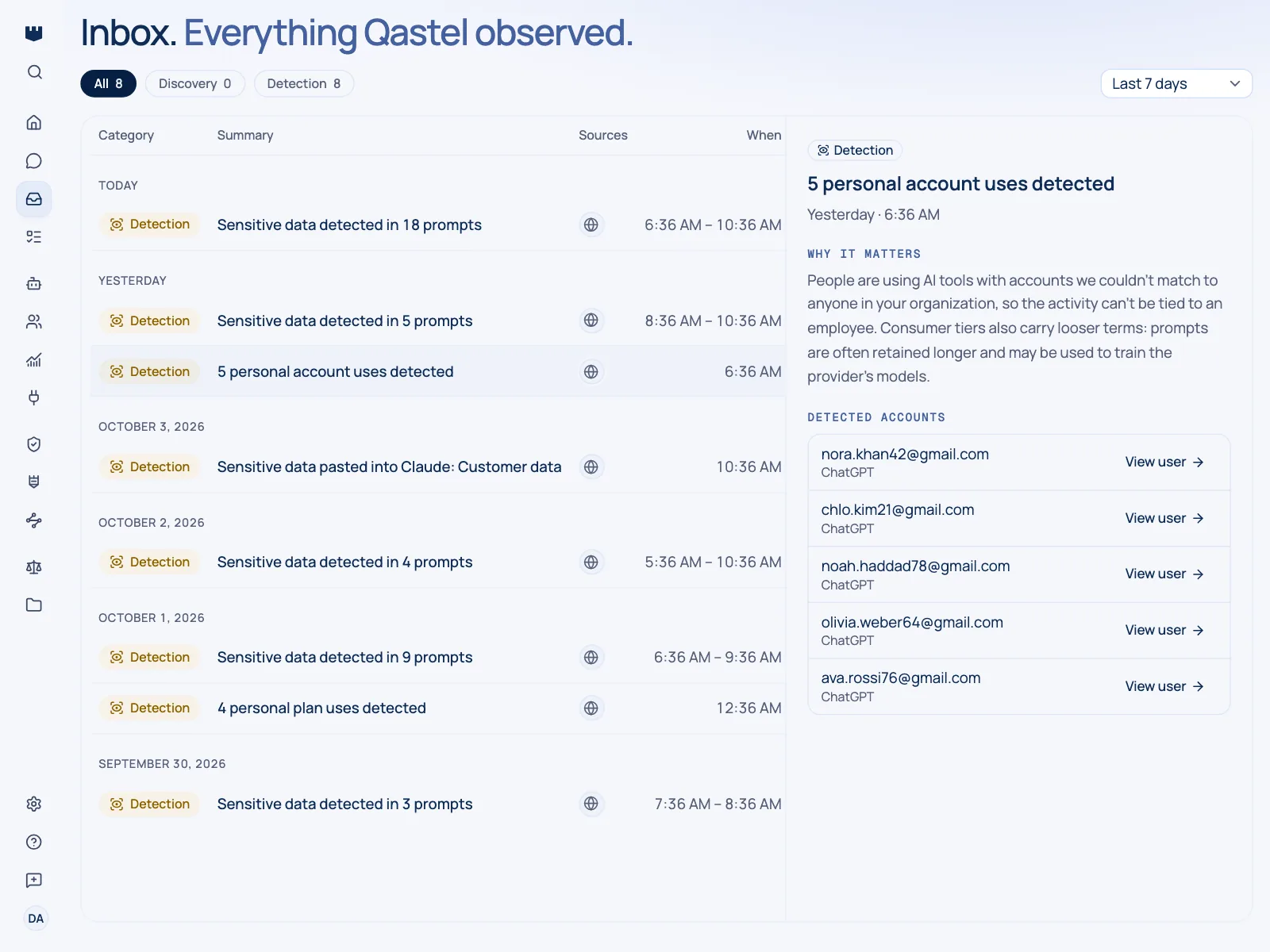
When someone signs into a known AI tool, Qastel records whether the account behind it is a work account or a personal one.
Flag the personal ones
Personal-account use is raised for attention rather than averaged into general usage, so it stands out instead of disappearing into a total.
Attach a name
Detections carry the device and, where you have it, the person, so a flag is a conversation to have rather than an anonymous statistic.
See the sanctioned side too
Sign-in activity from your directory shows who is using the AI tools you do provide. Put the two together and the picture is complete: who took the sanctioned route, and who quietly went around it.
Fix the cause
Most personal-account use is a workaround for something missing. The tools people reach for personally are your shortlist of what to license properly.
Questions people ask.
Does Qastel read employees' personal email or passwords?
No. Qastel records whether the account signed into a known AI tool is a work account or a personal one. It does not read credentials, mailboxes, or page contents.
Does this work on people's own devices?
No, by design. It goes where your device policy goes. Work on an employee's personal laptop is outside your management and outside Qastel's reach.
Is this a surveillance tool?
That depends how you use it, but the more useful reading is diagnostic. A cluster of personal-account use on one tool means people need it and do not have a sanctioned way to get it.
What happens when someone switches back to a work account?
The flag clears on the next update and usage returns to normal reporting.
Do we have to tell employees?
That is a decision for you and your employee representatives. Qastel reports which AI tools were used and what kind of account was behind them (nothing about the work itself), which is usually the basis for a straightforward conversation.
See it in action.
Get a 30-minute overview of how Qastel discovers, assesses and controls the AI used across a business.