- Identity
- Read-only
Microsoft Entra ID and Qastel
See which AI apps have access to your Microsoft tenant, and who is actually using them.
Why Microsoft Entra ID is the fastest place to start
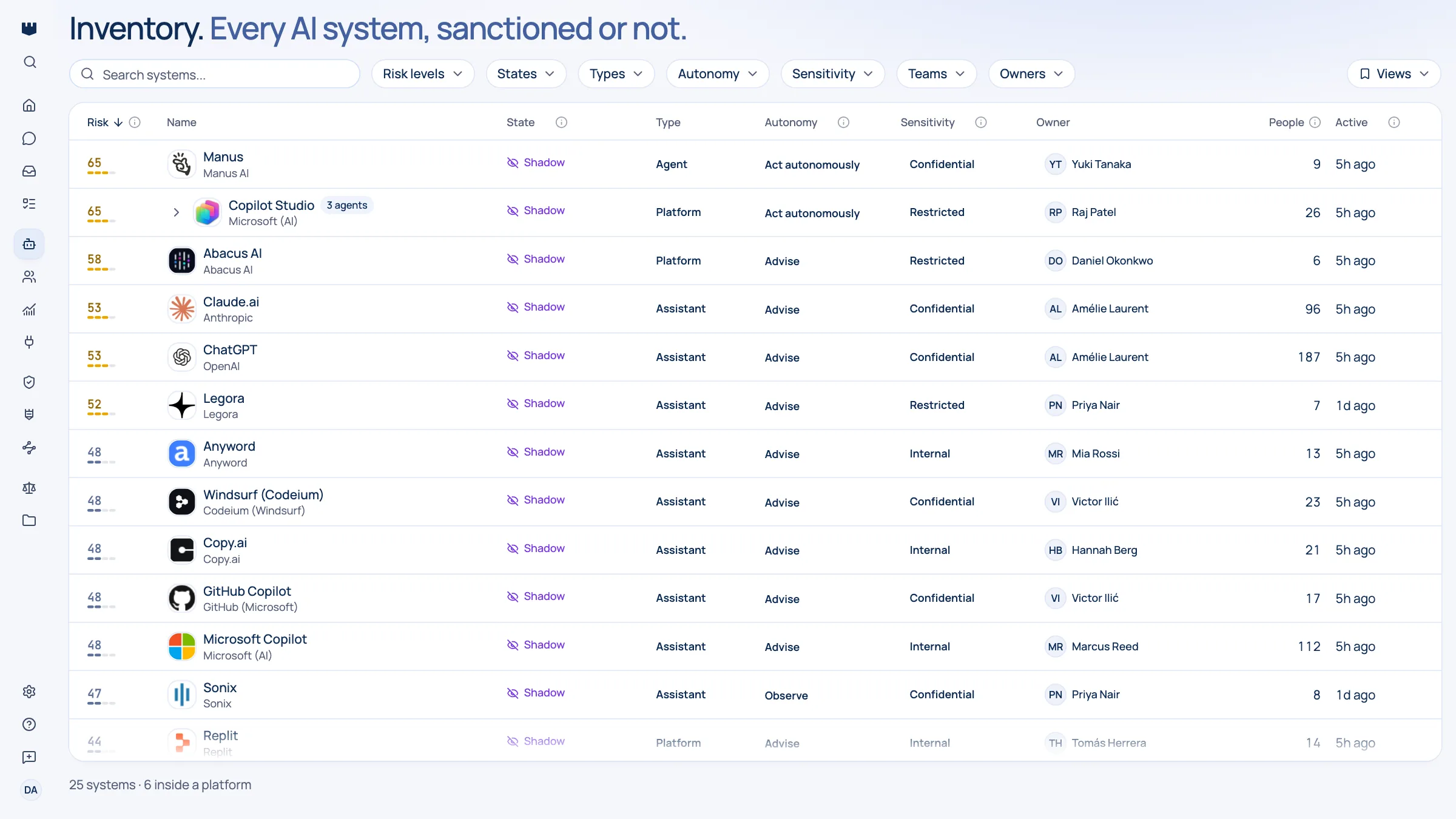
Your directory already holds the answer to a question most organisations cannot answer: which AI applications have been let into the business, what they are allowed to reach, and who signed in to them this month. Qastel reads it and turns it into a governed inventory with real owners attached.
Most AI tools arrive through the front door. Someone clicks “Continue with Microsoft”, approves a permission prompt, and a new AI application quietly gains access to mail, files, or calendars. It looks like a login. It behaves like a supplier relationship nobody signed.
Turning the directory into an inventory
The record exists: it is just unreadable. A typical tenant carries hundreds of connected applications, and nothing in the list distinguishes an AI note-taker sitting in every meeting from a payroll integration. Qastel recognises the AI ones, names the vendor behind each, and puts them in front of you with a risk rating instead of leaving them in a list nobody scrolls.
Qastel also shows the usage behind the app. Instead of “this AI tool exists somewhere in the tenant”, you see who signed in to it and how often: the difference between a curiosity one person tried and a dependency half of finance now relies on.
What you get
Discover, assess, control, comply.
What Microsoft Entra ID gives Qastel, at each of the four stages.
Discover
Every AI application connected to your tenant, recognised by vendor and product, including the ones approved with a single click months ago.
Assess
Each one arrives rated: what it can reach, how sensitive that is, and where it sits under the EU AI Act.
Control
See who is actually signing in to which AI tools, so you can retire what nobody uses and properly license what everybody does.
Comply
A dated, continuously refreshed record of which AI vendors have access to your business: the evidence auditors and customers ask for.




Governed without touching your directory
And it works without touching anything. No agents on laptops, no change to how anyone signs in, and nothing ever written back to your directory.

What Qastel reads
From Microsoft Entra ID
- Every enterprise application in the tenant
- The OAuth consent grants behind them
- The user directory, for attribution
Read-only. Nothing is written back.
Connect Microsoft Entra ID
Connects in minutes with one-click Microsoft admin consent. No agents to deploy, no secrets to paste, and nothing is ever written back to your directory.
What you need before you start
- A Microsoft Entra ID tenant
- A Global Administrator, who is the only person who can grant tenant-wide consent
In Qastel, open Connectors and choose Microsoft Entra ID.
Sign in as a Global Administrator and accept the read-only permissions Microsoft lists: directory, applications, and consent grants.
See what Microsoft Entra ID already knows about your AI.
Read-only, in minutes. Nothing is ever written back.