- Network
- Read-only
Microsoft Defender for Cloud Apps and Qastel
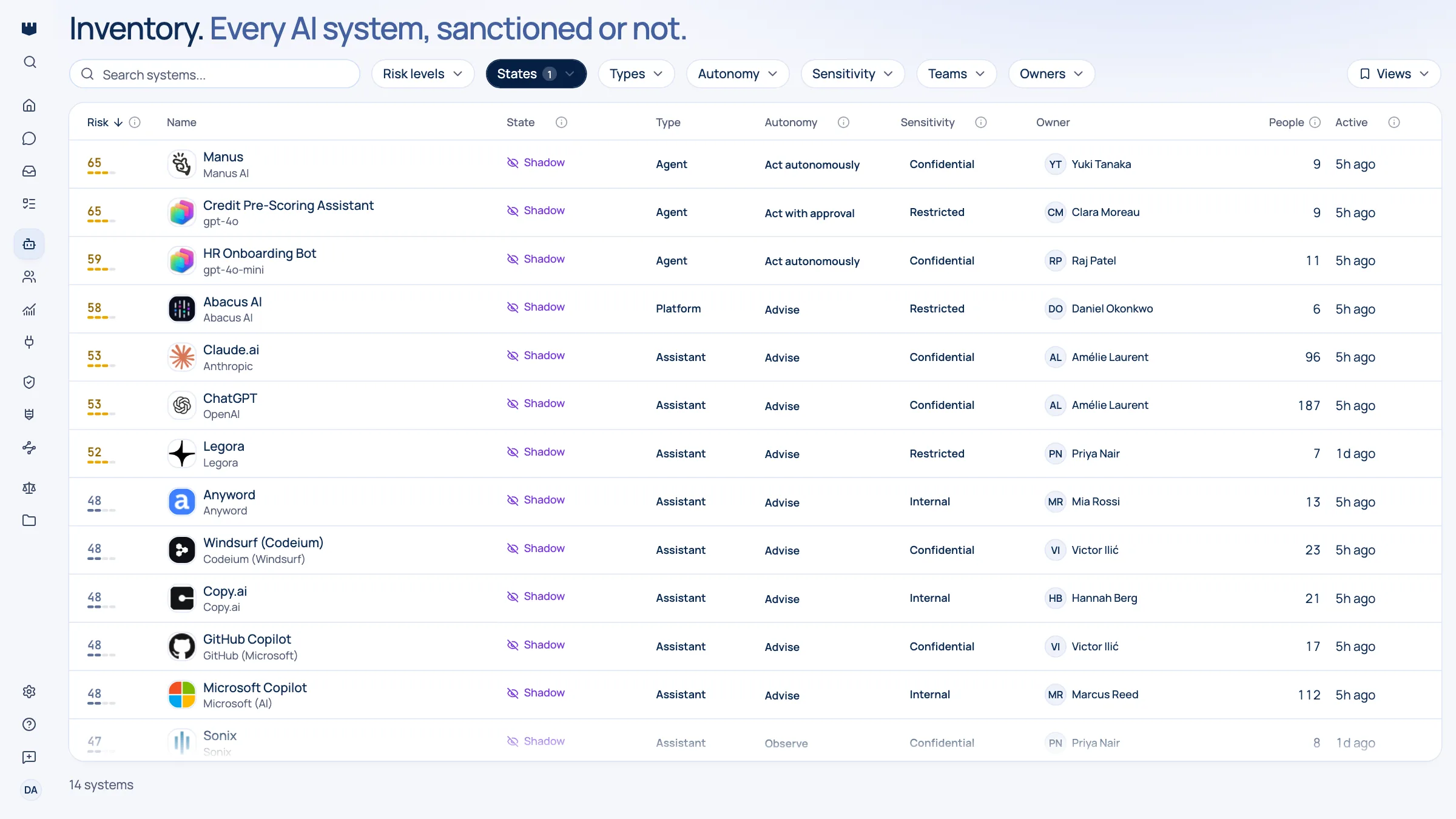
Turn the traffic you already log into a ranked list of the AI tools your people use.
Why shadow AI shows up here first
Defender for Cloud Apps already watches where your organisation goes on the internet. What it does not tell you is which of those destinations are AI, who owns them, or which ones should worry you. Qastel reads what Defender has already collected and hands back a shortlist of AI tools in use, each one named, rated, and ready to make a decision about.
Shadow AI is the normal state, not the exception. A free tier, a work email address, and a browser tab is the entire adoption process: no purchase order, no security review, no record. By the time an AI tool reaches a contract discussion it has usually been part of someone's daily routine for months.
You are already collecting the evidence
If you run Defender, the evidence is already being collected. Qastel reads the picture Defender builds from the logs you are already sending it, covering the past month of activity rather than only the last few hours, so a tool used once, early, still shows up.
What you get
Discover, assess, control, comply.
What Microsoft Defender for Cloud Apps gives Qastel, at each of the four stages.
Discover
The AI tools your people reach for, drawn from traffic you are already logging. Nothing new to deploy on the network.
Assess
Each tool named, attributed to its vendor, and rated for risk, data sensitivity, and EU AI Act classification.
Control
One ranked queue to work through (sanction, restrict, or replace) instead of a raw list of destinations.
Comply
A continuously refreshed record of unsanctioned AI in use, with the dates it was first and last seen.




What Qastel adds is judgement
What Qastel adds is judgement. Every discovered service is checked against a curated catalogue of AI vendors and products, rated for risk and data sensitivity, and merged with the same tool spotted elsewhere, so one AI system appears once, with several independent sources agreeing, rather than three times in three queues.

What Qastel reads
From Microsoft Defender for Cloud Apps
- Cloud Discovery's app results
- The last 30 days of them
- Defender's own security alerts
Read-only. Nothing is written back.
Connect Microsoft Defender for Cloud Apps
Connects in minutes with one-click Microsoft admin consent and reads what Defender has already collected. Nothing new on your network, and nothing written back to your Defender policies.
What you need before you start
- Cloud Discovery configured in Defender, with at least one log stream uploading
- A Global Administrator, who is the only person who can grant tenant-wide consent
In Qastel, open Connectors and choose Microsoft Defender for Cloud Apps.
Sign in as a Global Administrator and accept the read-only permissions: Cloud Discovery results and security alerts.
See what Microsoft Defender for Cloud Apps already knows about your AI.
Read-only, in minutes. Nothing is ever written back.