- Agent platforms
- Read-only
Microsoft Copilot Studio and Qastel
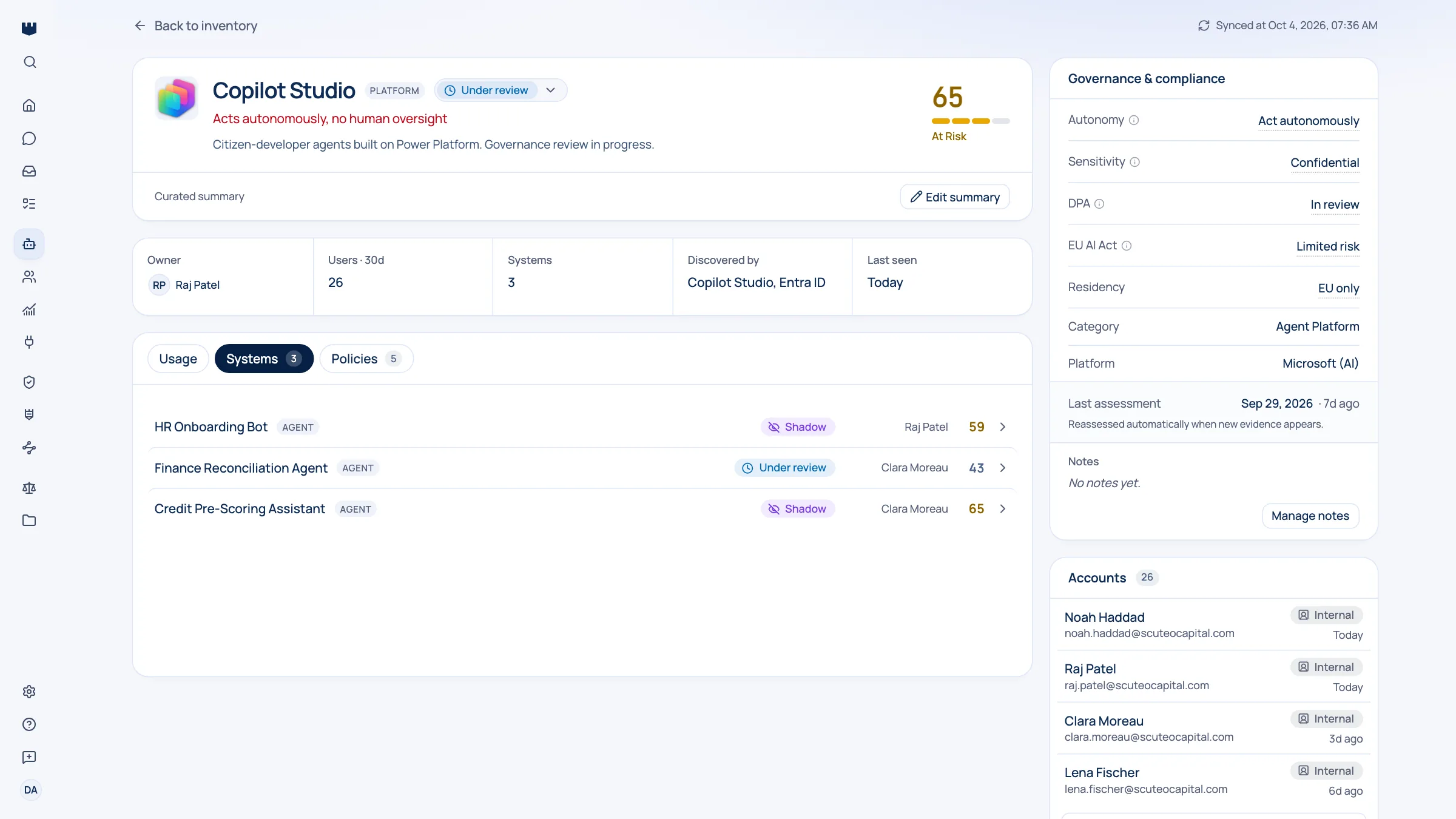
A live inventory of every Copilot Studio agent your business has built, including how widely each one is shared.
Why homegrown agents are the hardest part of the estate
Copilot Studio put agent-building in the hands of business teams, which is exactly the point and exactly the risk. Qastel keeps a current inventory of every agent across your Microsoft tenant (who owns it, where it lives, and how many people it has been shared with) so the ones with real reach are obvious.
Buying AI is a governable event. Building it is not. When anyone in the business can assemble an agent in an afternoon, the estate grows from the inside: by someone in finance, in a workspace security has never heard of, pointed at a document library nobody reviewed.
Approving the platform is not governing it
Approving the platform once tells you nothing about the twenty-third agent someone built last Tuesday. And a list compiled by hand is out of date the following morning, because somebody will have shipped another one.
What you get
Discover, assess, control, comply.
What Microsoft Copilot Studio gives Qastel, at each of the four stages.
Discover
Every Copilot Studio agent across the tenant, including the workspaces nobody put on the list.
Assess
Each agent with its owner, where it lives, how it is set up, and how many people it is shared with.
Control
Work the estate in order of reach rather than order of creation, and give the widely shared agents an owner and a governance state.
Comply
Homegrown agents sit in the same inventory, the same reviews, and the same exports as the AI you bought.




Reach is what predicts impact
The thing that actually predicts impact is reach. An agent shared with two colleagues is an experiment. The same agent shared with the whole company is a production system answering staff questions from whatever it was pointed at, built by somebody who was never asked to think about that. Qastel shows you how many people each agent reaches, so you can start at the top.

What Qastel reads
From Microsoft Copilot Studio
- Every agent, in every environment
- Its owner, model and orchestration
- Who it is shared with
Read-only. Nothing is written back.
Connect Microsoft Copilot Studio
Connects with one-click Microsoft admin consent plus a single administrator role assignment, which Qastel walks you through. Read-only: Qastel never changes an agent, a workspace, or a setting.
What you need before you start
- A Microsoft tenant with Copilot Studio or Power Platform environments
- A Global Administrator, who can both grant consent and assign the role below
In Qastel, open Connectors and choose Copilot Studio, then grant admin consent as a Global Administrator.
In Microsoft Entra, assign the Power Platform Administrator role to the service principal consent just created: a one-time assignment Qastel links you straight to.
Back in Qastel, confirm the role is in place and finish.
See what Microsoft Copilot Studio already knows about your AI.
Read-only, in minutes. Nothing is ever written back.