- Agent platforms
- Read-only
Dust and Qastel
Every agent in your Dust workspace, governed alongside the AI you bought.
Why an approved platform still needs an inventory
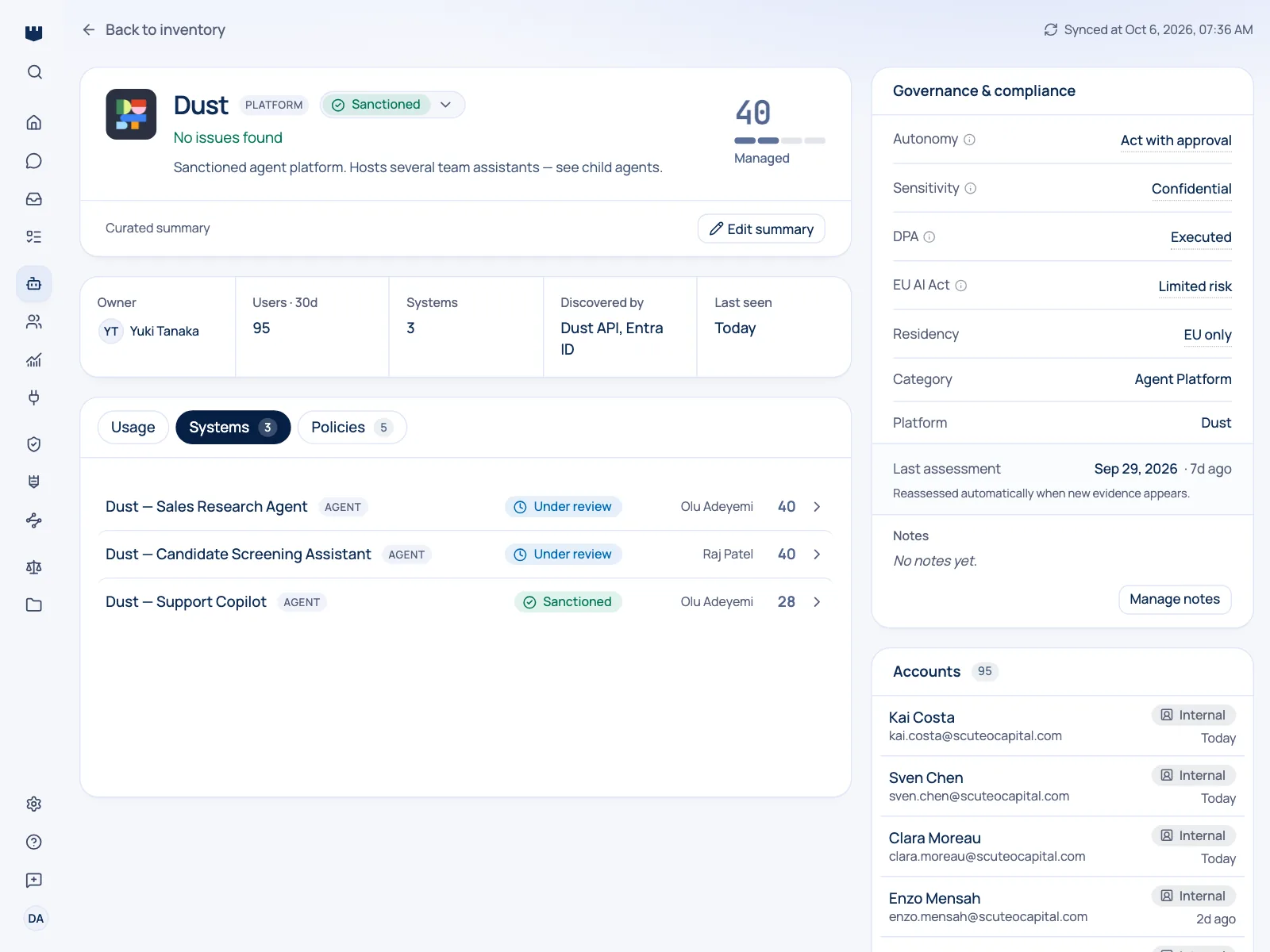
Dust workspaces fill up fast: one agent per team process, each with its own instructions and its own reach into company data. Qastel keeps a current inventory of them (what each one is called, what it is for, and whether it is live) so the assistants your teams built are governed like everything else.
An agent platform is a factory for AI systems. Every assistant someone configures is a distinct thing with its own instructions, its own data reach, and its own audience, and none of them go through procurement, because the platform already did.
The workspace is the unit of risk
That makes the workspace, not the vendor, the unit of risk. Approving Dust once says nothing about what the workspace looks like six months later. Qastel refreshes the picture on a schedule, so the inventory reflects the workspace as it is rather than as it was at signature.
What you get
Discover, assess, control, comply.
What Dust gives Qastel, at each of the four stages.
Discover
Every agent in the workspace, refreshed on a schedule rather than surveyed once.
Assess
What each agent is for, whether it is live, and the instructions it is running on.
Control
Owners and governance states on individual agents, not just on the platform contract.
Comply
Internally built assistants appear in the same inventory and the same exports as purchased AI.




What each agent is for, written down
Because Qastel records what each agent is set up to do, an assistant's purpose is written down and reviewable, which is what you need when someone asks what a given AI system is for and who is accountable for it.

What Qastel reads
From Dust
- Every agent in the workspace
- Its name, description and status
- What each one is instructed to do
Read-only. Nothing is written back.
Connect Dust
Connects with an API key from your Dust workspace. Qastel checks it works before saving, reads only your list of agents, and never creates, edits, or deletes anything in Dust.
What you need before you start
- A Dust workspace, and its ID: the segment after /w/ in any Dust URL
- An API key, created in your workspace settings under Developers / API Keys
In Qastel, open Connectors and choose Dust.
Paste the workspace ID and the API key, then connect.
See what Dust already knows about your AI.
Read-only, in minutes. Nothing is ever written back.