- Network
- Read-only
Cloudflare Zero Trust and Qastel
Spot the AI services your network is reaching, and tie the usage back to real people.
Why the network sees what nothing else does
If your traffic already flows through Cloudflare, the record of every AI service your people reach is sitting in it. Qastel reads that record and turns it into named AI tools in your inventory, with web usage attributed to the people behind it.
Network traffic catches what identity and software integrations miss: the tool nobody signed into with a work account, on a service that never appeared in a purchase order, reached from a browser nobody manages.
Reading what Cloudflare already has
Cloudflare sees it because the request goes through Cloudflare. Qastel reads what is already there: no new hardware, no new agent, and no change to how traffic flows or how fast it flows.
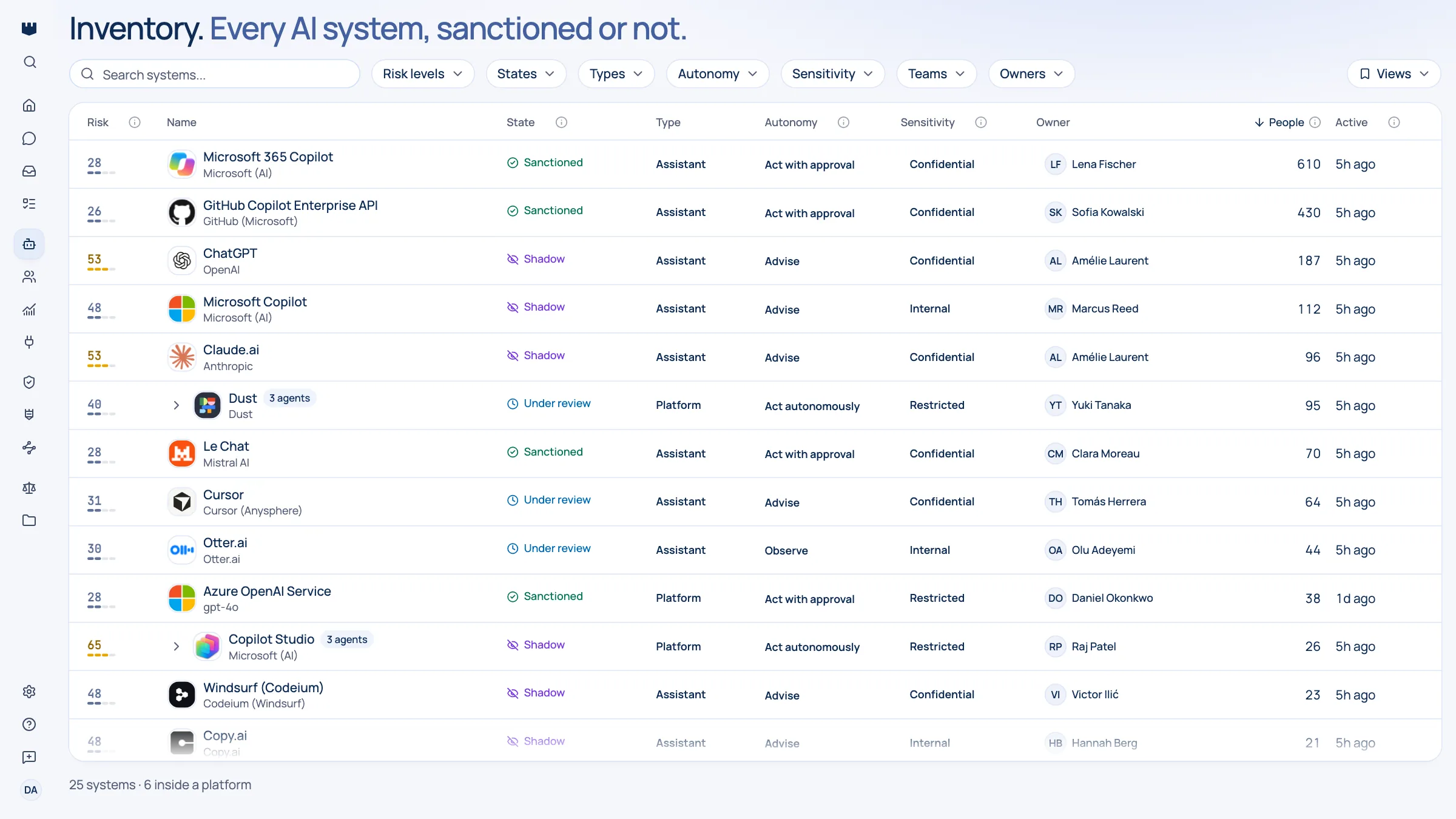
What you get
Discover, assess, control, comply.
What Cloudflare Zero Trust gives Qastel, at each of the four stages.
Discover
AI services reached across your network, recognised and named rather than left as raw destinations.
Assess
Each one rated for risk, data sensitivity, and EU AI Act classification.
Control
Web usage tied back to the people behind it, so a conversation has a name attached.
Comply
A dated record of AI use across the network, refreshed continuously.




The part Cloudflare does not do
Qastel then does the part Cloudflare does not: it recognises which destinations are AI, names the vendor and product behind each one, rates the risk, and merges it with the same tool seen on other surfaces so you are working one list instead of three.

What Qastel reads
From Cloudflare Zero Trust
- HTTP requests, by host and user
- DNS queries and resolver decisions
- The application matched to each
Read-only. Nothing is written back.
Connect Cloudflare Zero Trust
Connects with a read-only Cloudflare token and your account ID. Qastel checks it works before saving, reads reporting data only, and never touches your Cloudflare policies.
What you need before you start
- Cloudflare Zero Trust with Gateway enabled and proxying traffic
- Your Cloudflare account ID, and the right to create an API token on that account
In Qastel, open Connectors and choose Cloudflare Zero Trust.
Follow the Create token link, which opens Cloudflare with the Account Analytics (read) permission already selected, and copy the token.
Paste the token and your account ID, then connect.
See what Cloudflare Zero Trust already knows about your AI.
Read-only, in minutes. Nothing is ever written back.