- AI providers
- Read-only
ChatGPT and Qastel
Your ChatGPT Enterprise workspace, governed: who holds a seat, who actually uses it, and every project built inside it.
Why a licensed tool still needs governing
Buying ChatGPT Enterprise answers the contract question and opens a new one: what is the workspace actually being used for? Qastel reads OpenAI's Compliance API and puts the workspace in your inventory with its seats, its daily use, and every project people have built on it, each assessed on its own.
A ChatGPT Enterprise contract settles where data goes and how long it stays. It says nothing about who is using the seats you pay for, or about the projects people build inside it, each one a small AI system with its own instructions, its own files and its own audience.
Seats, use, and the projects inside
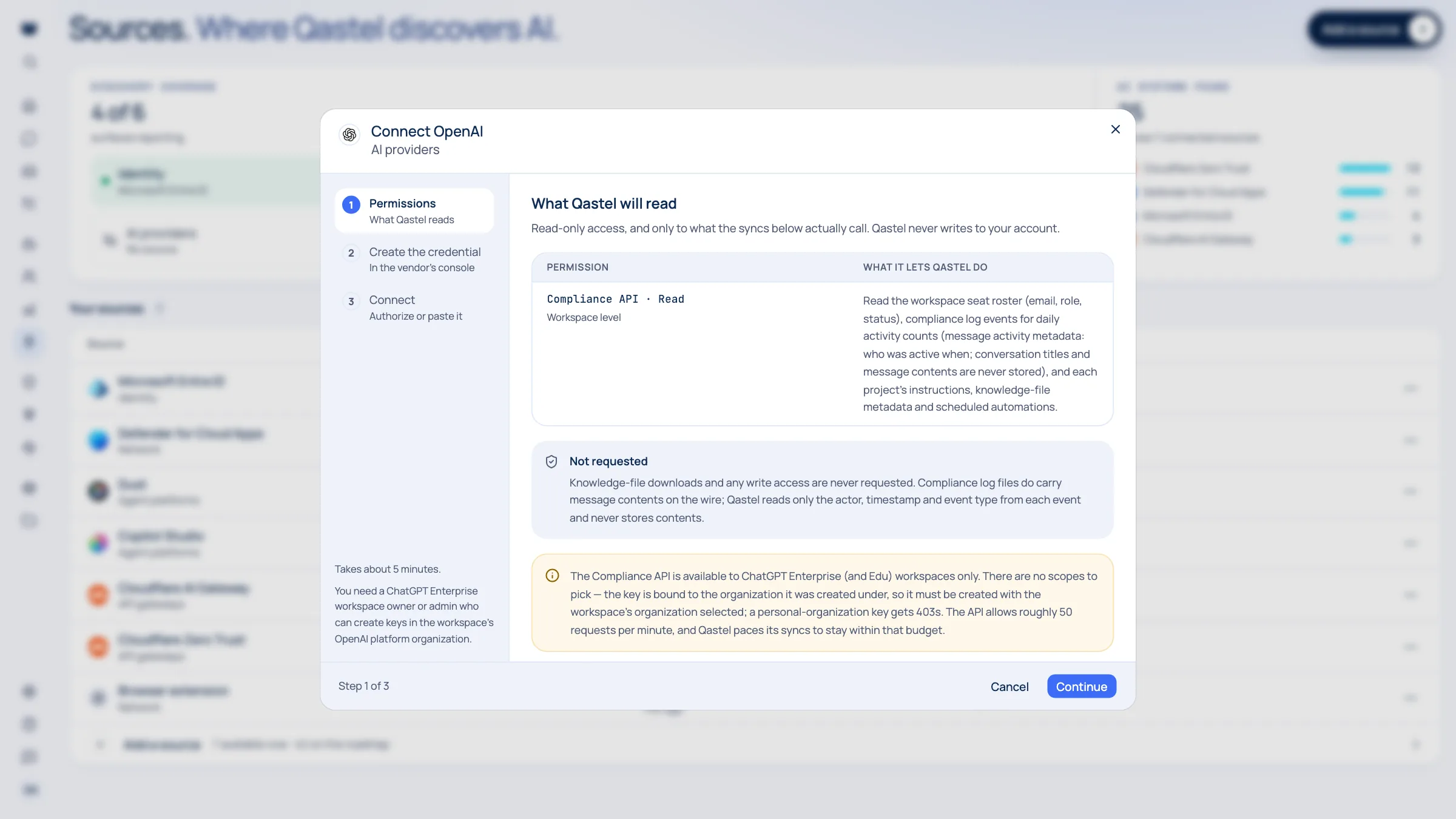
Qastel reads the seat roster and links every seat to a person in your directory. Daily activity comes from the workspace's compliance logs, so you see who uses ChatGPT and how often, not just who was given access.
Each project appears beneath ChatGPT as an AI system of its own, with its owner, its instructions and the metadata of its knowledge files, and is assessed like anything else in the estate. Scheduled automations are kept as evidence.
What you get
Discover, assess, control, comply.
What ChatGPT gives Qastel, at each of the four stages.
Discover
Every project built in the workspace, surfaced as an AI system with its owner and instructions.
Assess
Each project assessed on its own, and the workspace rated alongside the rest of your AI.
Control
Seats set against daily use, so licences follow the people who actually rely on ChatGPT.
Comply
A dated record of who uses the workspace and what has been built in it, without storing a single conversation.



Activity, without the conversations
Qastel reads who was active and when. It never stores conversation titles or message contents, and it never downloads the files people attach.

What Qastel reads
From ChatGPT
- The seat roster, with roles and status
- Daily activity, per person
- Projects, instructions and file metadata
Read-only. Nothing is written back.
Connect ChatGPT
Connects with a Compliance API key from your workspace's OpenAI organisation and your workspace ID. Qastel checks the key against the workspace before saving, and never stores conversation contents or downloads a file.
What you need before you start
- A ChatGPT Enterprise or Edu workspace: the Compliance API is not offered on other plans
- A workspace owner or admin who can create keys in its OpenAI organisation
On the OpenAI platform, select the workspace's organisation and create a secret key: there are no scopes to pick.
Copy the workspace ID from ChatGPT's admin settings.
In Qastel, open Sources, choose OpenAI, paste the key and the workspace ID, then connect.
See what ChatGPT already knows about your AI.
Read-only, in minutes. Nothing is ever written back.